Why We Need Temperature ?
Reading Temperature use for weather station,Room Temperature,Analysis of Temperature,Thermal Based Close Circuit .
How Read Temperature ?
By Using LM35 Temperature Sensor With Arduino Borad using Program It.
Components Required
[amazon_link asins=’B00ZNCBQ9O,B00XT53RI0,B07559VB4Y,B019OCN7SQ,B015C7SC5U’ template=’ProductCarousel’ store=’diamondrock0a-21′ marketplace=’IN’ link_id=’e69a57b7-43e0-11e8-934b-0d4ffde93ad3′]
What is LM35 Temperature Sensor ?
The LM35 is use in the integrated-circuit as temperature sensors. temperature sensor is designed specifically to measure the hotness or coldness it read range of 0°C to +100°C. DataSheet For More Detail
How to Measure Temperature with Arduino ?
Lm35 Produces Analog Value by which we Can Find the Actual temperature is collecting in it.
Example 1
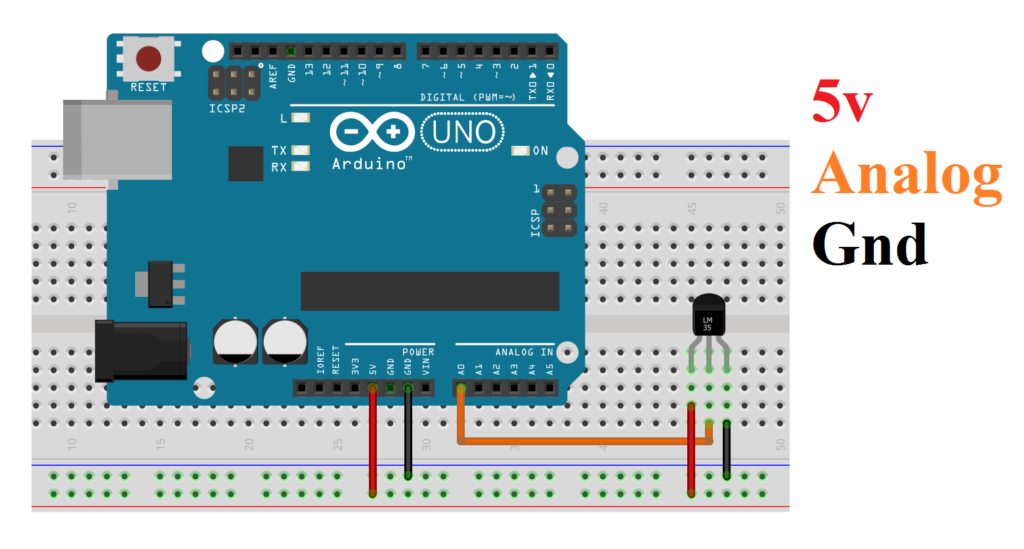
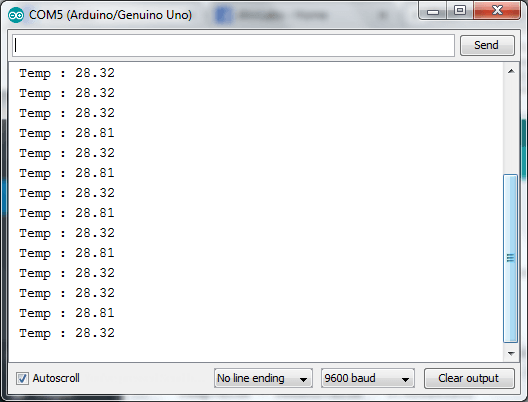
In Example temperature value are transfer by serial to computer to display result.
Circuit
Code
#define TempSensorPin A0    // Sensor Value
float SensorValue=0,TempValue = 0;

void setup() {
  Serial.begin(9600); //view Result in Com Port
}

void loop() {
  TempValue = SensorValue = 0; //Clear old Values
  SensorValue = analogRead(TempSensorPin);   // read the value from the sensor
  TempValue = SensorValue * 0.48828125;
  Serial.print(" Temp : ");
  Serial.println(TempValue);
  delay(1000); //Sec
}
Result
Example 2
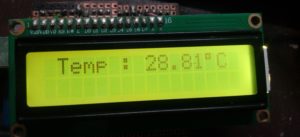
In this example value are directly display in Lcd Screen.
Circuit
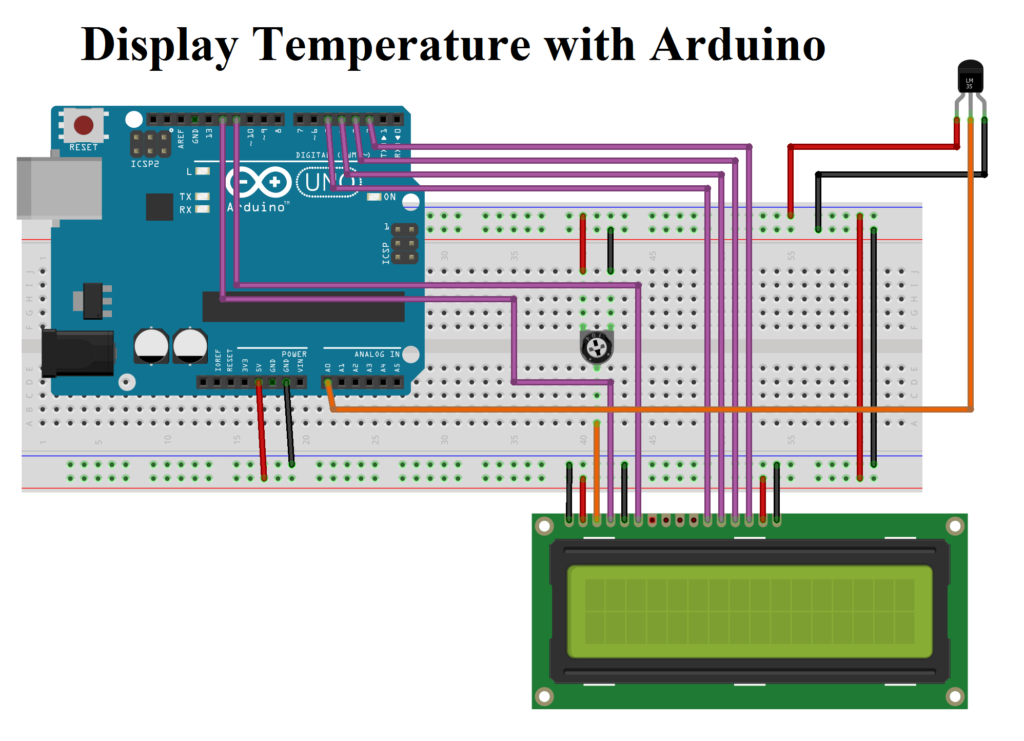
Code
#define TempSensorPin A0    // Sensor Value
float SensorValue=0,TempValue = 0;

#include <LiquidCrystal.h>
const int rs = 12, en = 11, d4 = 5, d5 = 4, d6 = 3, d7 = 2;
LiquidCrystal lcd(rs, en, d4, d5, d6, d7);


void setup() {
  lcd.begin(16, 2);
}

void loop() {
  lcd.clear();
  SensorValue=TempValue = 0;
  SensorValue = analogRead(TempSensorPin);   // read the value from the sensor:
  TempValue = SensorValue * 0.48828125;
  lcd.print(" Temp : ");
  lcd.print(TempValue);
  lcd.print("\337C");
  delay(500);
}
Result