Difference Between File Manager And Disk Management in Tabular Form
| Sno. | Basic Terms | File Manager | Disk Management |
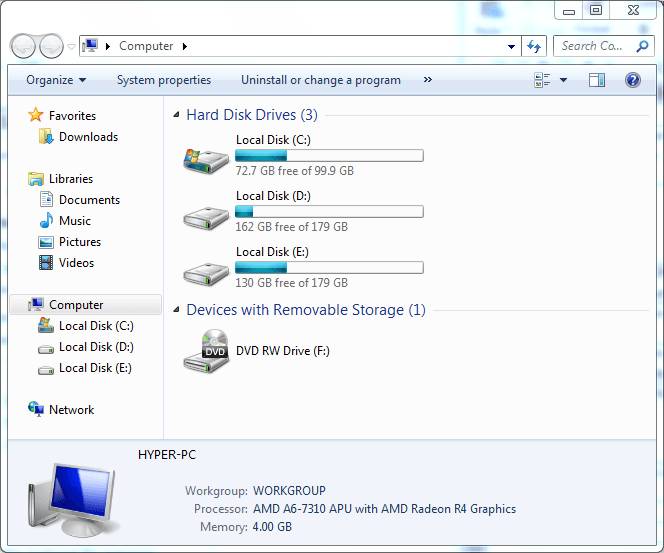
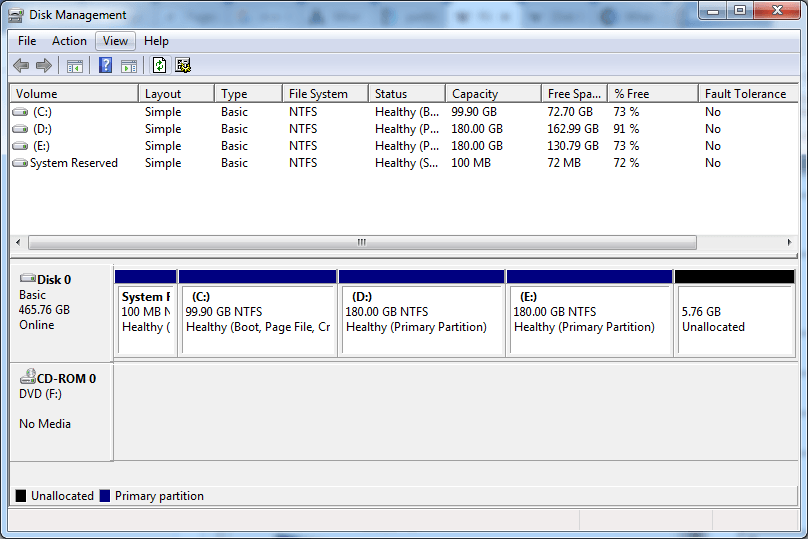
| 1. | Definition | A File Manager or File Browser is a operating system program it provides a user interface to Manage Files, Folders and View. | A Disk Management or Disk Manager allow you to See How Many Disk Drives , Partition, capacity, free space it not Allow to view files inside in Drives. |
| 2. | Managers provide | Such as FTP, HTTP, NFS, SMB or WebDAV | NONE |
| 3. | Shows | Showing Folder in Drives Create Folder ,files and Data to Manage. | Partition on the Hard Drive ,Create Partition or Shrink |
| 4. | CUT,COPY,PASTE Operations | Allow | Disallow |
| 5. | Partition Shows / Drives | Yes / No | Yes / Yes |
| 6. | Program Name in Windows | explorer.exe | diskmgmt.msc |
| 7. | Properties | Owner, Creation Date,File Type, Location, Size etc | Disk,File System,Volume, Layout , Capacity ,Free Space etc |
| 8. | Change Letter Name | No | Yes you Can Change G: to E: |
| 9. | Alternatives | Free Commander ,Explorer++ ,Q-dir , Files&Folders Lite ,File Browser ,Metro Commander ,UWP File Explorer | EASEUS Partition Master, PartitionGuru Free,Disk Order 3.0 |
| 10. | Picture |
|
|
(Visited 3,220 times, 2 visits today)
Written by: